
Product guides
Contacts, lists, and segments
Build audiences with lists and rule-based segments for each client workspace.
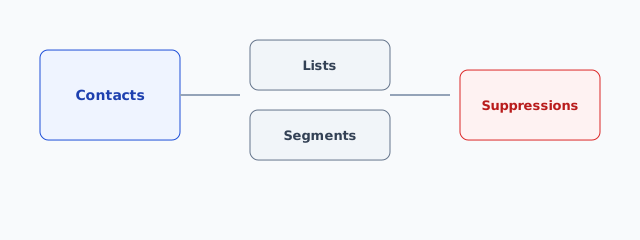
Mental model
| Object | What it is |
|---|---|
| Contact | A person (email + fields) owned by one client |
| List | Manual membership — imports, forms, and hand-adds |
| Segment | Dynamic membership from rules (e.g. tagged vip and opened in 30d) |
| Suppression | Do-not-mail — never campaigned again until cleared |
Always work inside the correct client via the workspace switcher.
Lists
- Contacts → Lists → New list.
- Add people via import, form mapping, or contact detail → Add to list.
- Use lists for evergreen audiences (newsletter, customers).
Segments
- Contacts → Segments → New segment.
- Combine rules with AND/OR (tags, fields, engagement).
- Save — membership recalculates as data changes.
- Prefer segments for behavior-based campaigns so you don’t re-import every week.
Contact detail
Open a contact to edit fields, see timeline events (opens/clicks when tracking is healthy), list membership, and suppression state.
Hygiene
- Hard bounces and complaints auto-suppress — see Suppressions.
- Don’t delete engaged contacts just to “clean” — suppress or unsubscribe instead.