
Getting started
Pick an email provider for each client
Compare SES, SendGrid, Mailgun, and SMTP for agency use cases.
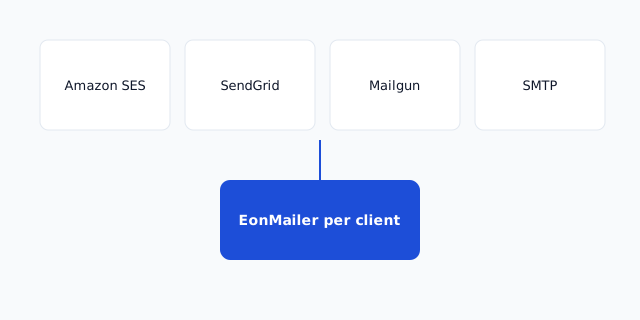
EonMailer is bring-your-own-provider (BYO) — each client workspace connects to its own SES, SendGrid, Mailgun, or SMTP relay. Your job is matching provider to client constraints: cost, compliance, existing contracts, and team skill.
Decision matrix
| Factor | Amazon SES | SendGrid | Mailgun | Custom SMTP |
|---|---|---|---|---|
| Cost at scale | Lowest $/1k | Mid-tier plans | Competitive API pricing | Varies |
| Setup complexity | AWS IAM + sandbox | Moderate | Moderate | Low if relay exists |
| EU data residency | Region choice | Twilio regions | Explicit EU pod | Depends on host |
| Existing client contract | Rare | Common | Common | Legacy apps |
| Agency ops skill | Needs AWS comfort | Friendly UI | Developer-friendly | Minimal |
There is no universal winner — agencies often run SES for high-volume SaaS clients and SendGrid/Mailgun for clients who already pay for them.
Amazon SES — choose when
- Client sends 50k+ emails/month and wants minimal variable cost.
- Agency has someone comfortable with AWS IAM, sandbox requests, and SNS events.
- Client already standardizes on AWS.
Tradeoffs: AWS support is ticket-based; getting out of sandbox requires a written use case; multiple regions to track.
Start: Create an AWS account for SES
SendGrid — choose when
- Client has Twilio/SendGrid enterprise pricing or existing subusers.
- Team wants managed reputation tooling without AWS console.
- You need quick onboarding with familiar support channels.
Tradeoffs: Plan tiers cap volume; per-contact pricing elsewhere doesn’t apply but monthly minimums might.
Start: Create a SendGrid account
Mailgun — choose when
- Developers already use Mailgun logs/webhooks in other systems.
- Client requires EU infrastructure with clear API endpoints.
- You want granular event payloads for custom ops.
Tradeoffs: UI less marketer-friendly; region lock-in at account creation.
Start: Create a Mailgun account
Custom SMTP — choose when
- Client insists on on-prem relay, Microsoft 365 SMTP relay, or legacy host.
- Migration phase: old ESP still accepts SMTP while DNS moves.
- Sandbox/staging environment with internal mailhog-like relay (non-prod only).
Tradeoffs: Rate limits opaque; TLS/cert issues common; fewer webhook events unless provider supports them.
Start: When to use custom SMTP
One provider per workspace
EonMailer scopes provider credentials per client workspace. Do not share one SES account across unrelated clients unless you deliberately use separate IAM keys and domains with strict isolation — separate AWS accounts is cleaner.
Compliance checklist
Ask before committing:
- Data residency — EU recipients require EU region/provider where applicable.
- Contract — Does client’s MSA forbid certain subprocessors?
- Volume — Will sandbox/plan limits block launch week?
- Dedicated IP — Needed only at high volume with isolated reputation; shared pools fine initially.
Recommended default for new clients
If the client has no existing ESP and sends marketing + transactional to opt-in lists:
- SES when agency ops knows AWS and volume justifies setup time.
- SendGrid when speed-to-first-send matters more than absolute unit cost.
Document the choice in the client runbook with links to the relevant setup path.
After you decide
- Connect your first client workspace
- Complete DNS: Overview → Verify domain
- Before launch: Send-ready checklist