
Amazon SES
Create an AWS account for SES
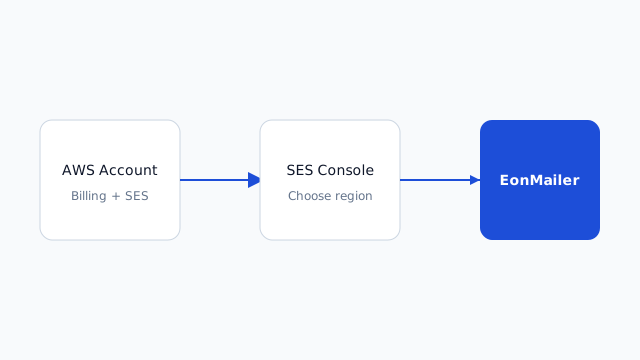
Register AWS, enable billing, and open the SES console in the right region.
Most agency clients who want the lowest per-send cost use Amazon Simple Email Service (SES). EonMailer connects to SES with access keys in a specific AWS region — so the first job is a clean AWS account setup, not jumping straight to keys.
Before you start
Gather these from the client (or your agency ops lead):
- Legal entity name and billing contact — AWS bills the card on file; agencies often use a shared ops card or the client’s card.
- Primary sending region — pick one and stay consistent (common choices:
us-east-1,eu-west-1,ap-southeast-1). SES identities and sending quotas are per region. - Root account email — use a shared mailbox like
aws-ops@agency.com, not a personal Gmail that leaves when someone does.
Warning Do not reuse a personal Amazon shopping account for client production email. Create a dedicated AWS account per client (or per agency pod) so billing, limits, and IAM boundaries stay isolated.
Step 1 — Register the AWS account
- Go to https://aws.amazon.com/ and choose Create an AWS Account.
- Enter the root user email and password. Use a password manager entry shared with your infra team.
- Choose Business account type unless the client explicitly wants Personal (Business is standard for agencies).
- Complete contact information with the client’s legal address where required for tax/invoicing.
- Enter a valid credit or debit card. AWS performs a small verification hold; SES itself is pay-as-you-go (fractions of a cent per email in most regions).
- Complete phone verification via SMS or voice call.
- Select the Basic Support plan (free) unless the client already pays for Business/Enterprise support.
After signup, sign in to the AWS Management Console as the root user once, then plan to stop using root for day-to-day work.
Step 2 — Secure the root account (15 minutes, non-optional)
- Open IAM → Dashboard and note the “Security recommendations”.
- Enable Multi-factor authentication (MFA) on the root user immediately.
- Create an IAM admin user for your team (e.g.
agency-admin) with AdministratorAccess or a tighter custom policy if your security team requires it. - Sign out of root and use the IAM admin for console work going forward.
Important EonMailer never needs root credentials. Root is for account recovery and billing only.
Step 3 — Open Amazon SES in the correct region
SES is regional. Sending from us-east-1 while your domain is verified in eu-west-1 causes confusing “identity not found” errors later.
- In the console header, open the region picker and select your chosen region (example: US East (N. Virginia)
us-east-1). - Search for Simple Email Service and open the SES v2 home (or classic SES — both work; identity setup is the same concept).
- On first visit, SES opens in sandbox mode. That is expected. You can verify domains and send to verified addresses while sandboxed.
Bookmark the SES console URL with region embedded, e.g.
https://us-east-1.console.aws.amazon.com/ses/home?region=us-east-1
Step 4 — Verify you can see account details
In the SES sidebar:
- Open Account dashboard (or Getting started).
- Confirm Sandbox status is shown — you’ll remove this in Leave the Amazon SES sandbox.
- Note the Sending limits (typically 200 emails/day and 1 msg/sec in sandbox).
If SES is not available in your chosen region (rare), switch to a nearby region that lists SES in the AWS regional services table and tell EonMailer the same region when connecting.
Step 5 — Optional but recommended: AWS Organizations
Agencies managing many clients sometimes create:
- A management account for billing aggregation
- Member accounts per client (
client-acme-prod)
That keeps SES reputation and spend isolated. You can still follow this guide in a standalone account if the client only has one brand.
Step 6 — Document what you created
Store in your client runbook (1Password, Notion, etc.):
| Item | Example |
|---|---|
| AWS account ID | 123456789012 |
| Root email | aws-ops@agency.com |
| IAM admin user | agency-admin |
| SES region | us-east-1 |
| Sandbox status | Yes → request production next |
Common mistakes
- Wrong region — Keys created in
us-west-2won’t send mail verified inus-east-1. - Shopping account reuse — Mixing retail orders and client SPF/DKIM creates audit pain.
- Skipping MFA — AWS support and your insurance policy both expect MFA on root.
- No shared mailbox — When the strategist who created the account leaves, password resets stall client launches.
What happens next
- Leave the Amazon SES sandbox so you can mail full lists.
- Create IAM credentials for SES with least privilege.
- Connect Amazon SES to EonMailer and verify the client’s domain.