
Amazon SES
Leave the Amazon SES sandbox
Request production access so you can send to any recipient.
New AWS accounts start SES in sandbox mode: you can only send to verified email addresses and domains, and daily volume is capped (typically 200 messages/day at 1 message/second). Production access removes the recipient verification requirement and raises limits — required before any real client campaign.
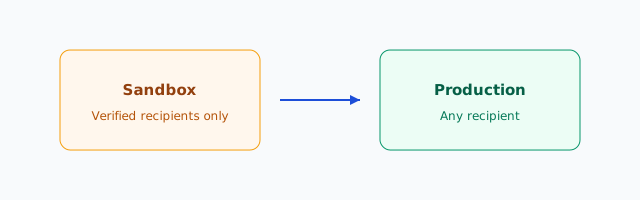
Sandbox vs production
| Capability | Sandbox | Production |
|---|---|---|
| Send to unverified recipients | No | Yes |
| Typical daily cap | ~200 emails | Starts higher; grows with reputation |
| Bounce/complaint enforcement | Yes | Yes (stricter scrutiny at scale) |
| Required for EonMailer live sends | No (test only) | Yes |
Warning Do not launch a client newsletter while still sandboxed. EonMailer may show sends as accepted, but SES will reject mail to unverified addresses.
Before you request production access
Complete these first — AWS reviewers reject vague requests:
- Verify the sending domain in SES (or at least the subdomain you’ll use, e.g.
mail.client.com). - Verify a From address you’ll use in tests.
- Have a public website for the client (even a simple marketing site) — reviewers check it.
- Draft your use case in plain language: transactional + marketing, opt-in list source, expected monthly volume.
- Ensure bounce and complaint handling — EonMailer processes webhooks, but AWS wants to know you won’t ignore complaints.
Step 1 — Open the production access request
- Sign in to AWS Console in the same SES region you’ll use for sending.
- Go to Amazon SES → Account dashboard (or Getting started).
- Find Sending limits or the banner Your Amazon SES account is in the sandbox.
- Click Request production access (wording may be Create account details in SES v2 setup wizard).
Step 2 — Fill out the request form carefully
AWS typically asks:
-
Mail type — choose Marketing and/or Transactional honestly. Mixed is fine if you describe both.
-
Website URL — client’s primary domain.
-
Use case description — example template:
Acme Agency sends opt-in marketing and account notifications for ClientCo (B2B SaaS). Lists are imported from ClientCo’s product signups and event registrations with double opt-in where required. We expect ~25,000 emails/month initially, scaling to ~100,000/month. Bounces and complaints are processed via SNS/webhooks into our ops platform (EonMailer) with automatic suppression.
-
Compliance — confirm you only mail recipients who requested mail and you include unsubscribe links in marketing messages.
-
Contact email — use an monitored address; AWS may email follow-up questions.
Tip Mention concrete numbers (monthly volume, list size) and how opt-in is collected. “We send newsletters” alone often gets a follow-up delay.
Step 3 — Submit and monitor
- Submit the form. Approvals often arrive within 24 business hours, but can take up to 48 hours or longer if AWS needs clarification.
- Watch the root/IAM email and SES console for status changes.
- While waiting, continue DNS setup and IAM credentials work in sandbox — you can still test to verified inboxes.
Step 4 — Confirm production status
When approved:
- Return to Account dashboard.
- Confirm the sandbox banner is gone and Sending quota increased (exact numbers vary).
- Send a test from EonMailer to a non-verified external address (e.g. your personal inbox not added in SES). It should deliver.
If AWS denies or pauses the request
Common reasons and fixes:
- Vague use case — Resubmit with list source, sample template, and volume forecast.
- New domain with no website — Publish a minimal site or use the client’s existing corporate domain.
- High-risk vertical — Some industries get manual review; provide additional compliance detail.
- Previous abuse on linked account — May require AWS Support ticket with evidence of remediation.
Open AWS Support → Create case → Service limit increase / SES if the console doesn’t offer a resubmit button.
After production: protect reputation
Production access is not unlimited trust. AWS still pauses accounts with high bounce or complaint rates.
- Follow Email warmup basics on new domains.
- Enable event publishing (bounces/complaints) when connecting EonMailer.
- Keep complaint rates well under 0.1%; bounces under 5% on active lists.
Checklist
- Domain verified in SES (same region)
- Production access approved
- Test send to unverified recipient succeeded
- Runbook updated with new sending limits
- Warmup plan documented for launch week